Machine Party Multiplayer
Online co-op now — local co-op planned late August 2026
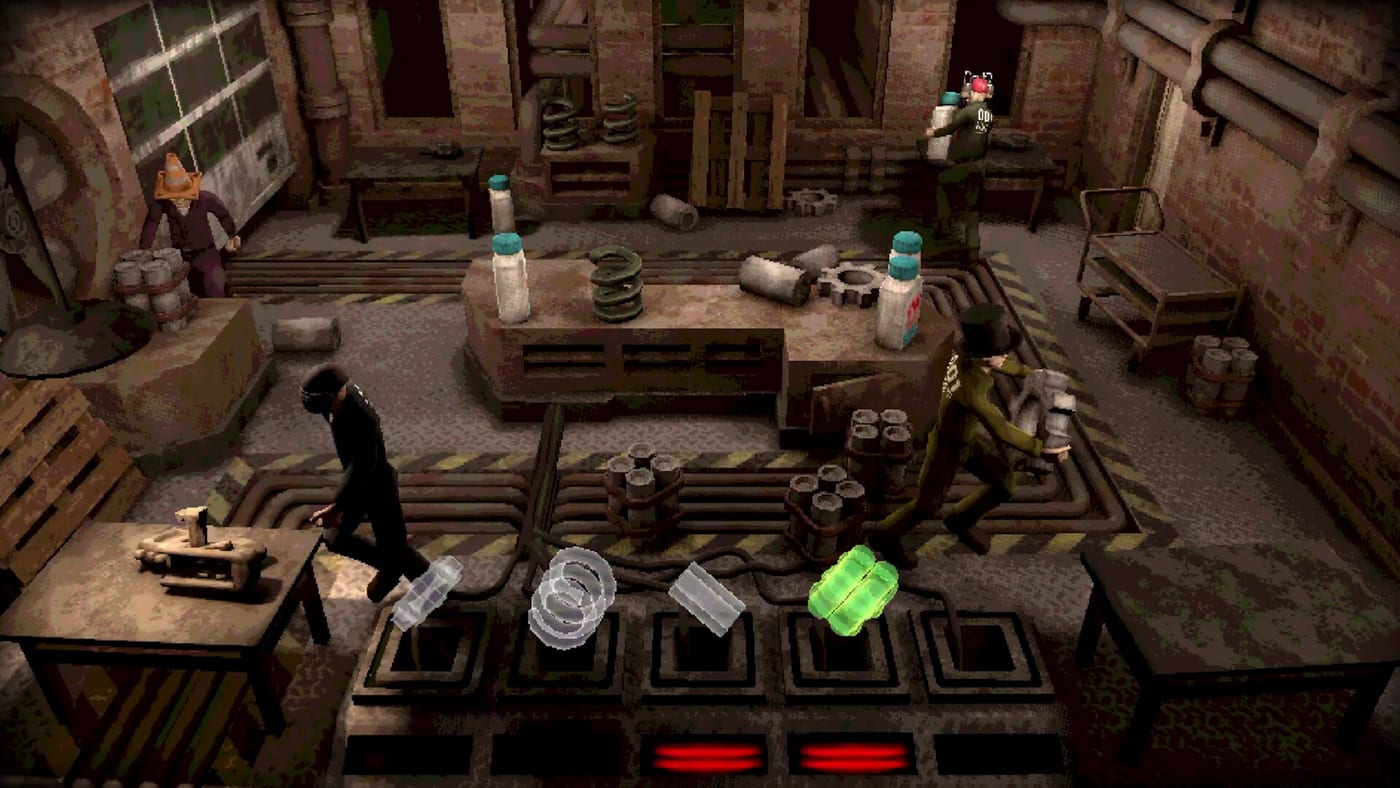
Machine Party is built around sessions where two to four friends compete through a rotating stack of lethal minigames. Published by Oro Interactive and developed by Mike Klubnika and GDeavid, the Steam release on July 30, 2026 targets parties who want high-stakes party game energy with industrial horror presentation. At launch, that means online co-op through 18-digit room codes. There is no matchmaking, no public lobby browser, and no bots. Local/couch co-op is officially planned for a late August 2026 update — full details on local co-op.
This hub covers everything you need before you queue: how lobbies work, which party size fits your group, and how to pair multiplayer prep with tier lists and planning tools.
Full controller support means keyboard players and gamepad users can mix, but you should still align on input before launching into timing-heavy modes ranked on the difficulty tier list. Voice chat is not bundled in-game — use Steam overlay, Discord, or another call app so betrayals land as loudly as the facility sirens.
What multiplayer includes at launch
The store listing confirms online co-op for two to four players across fifteen minigames, joined only by room codes or Steam invites. Sessions rotate through competitive scenarios where losing often means a violent elimination animation rather than a polite score deduction. Sabotage tools let you screw over friends in ways that show up heavily on the chaos tier list, so expect alliances that last exactly one round.
Before you invite anyone, confirm each friend meets the system requirements — Windows 11 or a Linux distro with Vulkan support, modest GPU targets around RX 6500 XT or GTX 1660 class hardware, and stable internet for four-player timing modes. Handheld hosts should also read Steam Deck & Linux.
Start here
Lobby setup guide walks through room codes, hosting, ready-up flow, and how to reduce downtime between minigames. Troubleshooting covers black screens, join timeouts, Deck paste failures, and finding strangers via Steam Discussions. Party sizes guide explains how duos, trios, and full four-player lobbies change sabotage density and achievement hunting. Local co-op roadmap explains what is missing today and what Steam news promised for late August. Remote Play Together covers the one-PC streaming bridge until native couch co-op lands.
Pair those guides with the party planner when you want a curated playlist instead of pure random rotation, or the minigame picker when your group cannot agree on the next lethal experiment.
Multiplayer and progression
Online play ties into Steam achievements — fifteen named goals appear on the store page, including Quick draw!, Flourished Memories, Leg it!, and Full Pack. Details for several names are easiest to confirm in-game or on Steam; our achievements page lists every known title without inventing unlock text.
Customization helps visually separate players during chaotic rounds, which matters when three identical silhouettes sprint toward a steamroller. After major patches, check the updates hub and launch notes for networking fixes before you schedule a tournament night.
Session planning checklist
- Confirm everyone owns Machine Party on Steam and is on the same game build (including v1.0.7 if applicable).
- Verify hardware against system requirements.
- Apply black-screen launch options if needed — troubleshooting.
- Pick a target party size using the party sizes guide.
- Host follows lobby setup, shares the 18-digit room code, and sets voice chat.
- Optional: preload a playlist via party planner or bias toward low-difficulty picks from tier-list/difficulty for onboarding.
- After the session, compare notes with worth buying impressions and chase remaining achievements.
Related pages
- Troubleshooting — black screen, join timeouts, no matchmaking workarounds
- Local co-op — late August roadmap
- Remote Play — Steam streaming bridge for one-PC parties
- Lobby setup — invites, hosting, and between-round flow
- Party sizes — 2, 3, and 4 player dynamics
- Tools hub — interactive party planner and minigame picker
- Review hub — launch overview and purchase context
- Updates hub — patch notes and trailer refreshes
Frequently Asked Questions
Quick answers to the most common questions.
Does Machine Party support local couch multiplayer?
Not at the July 30, 2026 launch. Online co-op ships first; developers said local co-op arrives in a late August 2026 update. See [local co-op](/multiplayer/local-coop/). Until then, try [Remote Play](/multiplayer/remote-play/) as a bridge.
How many players do I need to start?
You can queue with two players minimum. See [party sizes](/multiplayer/party-sizes/) for how duos differ from full four-player lobbies.
Is cross-play supported?
Machine Party launches on Steam for Windows and Linux. Cross-play beyond that ecosystem has not been advertised — confirm on the official store listing before inviting friends on other platforms.
Does Machine Party have matchmaking?
No. You join private lobbies with 18-digit room codes only. Use Steam Discussions LFG threads to find strangers — see [troubleshooting](/guides/troubleshooting/).
Where do I troubleshoot connection issues?
Start with the [troubleshooting guide](/guides/troubleshooting/) and [lobby setup guide](/multiplayer/lobby-setup/). Verify OS, Vulkan support, and room-code paste on Deck via [system requirements](/review/system-requirements/).