Machine Party Local Co-op
Couch co-op is live — up to 4 players on one screen since v2.0, August 12 2026
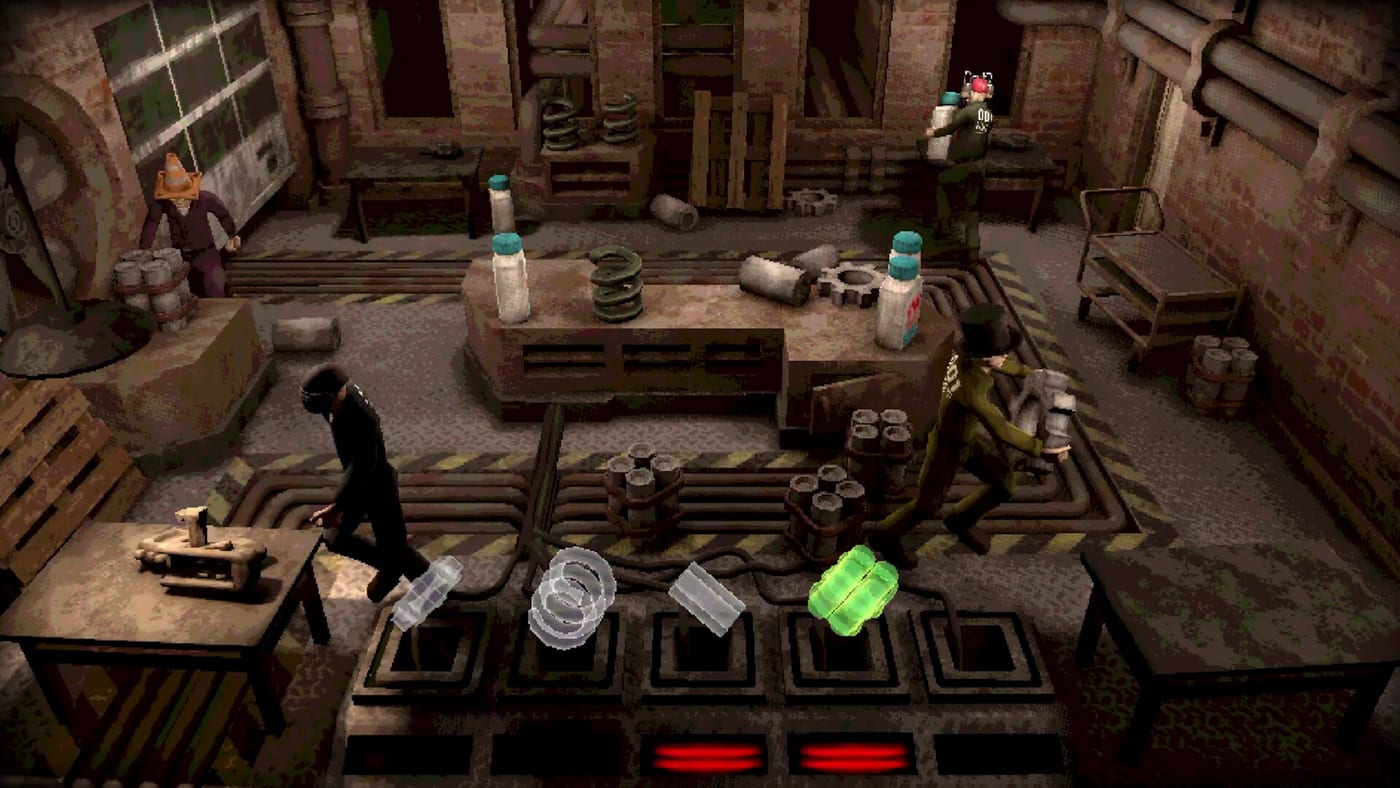
Machine Party launched on Steam on July 30, 2026 as an online co-op party game for two to four players. Same-screen local co-op was the feature living-room groups asked for most after the Triple-i Initiative reveal — and it did not ship on day one. Community pressure accelerated the roadmap: Steam discussion threads flooded with couch-co-op requests after marketing showed four-player chaos without clarifying online-only launch, and developers responded in the launch news post that local play was not originally planned but became a priority. The update shipped August 12, 2026 as v2.0, ahead of the original late-August schedule.
This page explains what the Local menu offers, how to set it up, what changes between online and local sessions, and which minigames benefit most from shared-screen play.
What shipped in v2.0
The Local menu arrived in the v2.0 update on August 12, 2026. From the main menu, selecting Local opens a lobby flow for up to four players on one screen. The Local menu supports:
- Original — the standard fixed-order fifteen-minigame run with intro and outro segments intact
- Custom — host picks individual minigames or a custom playlist, now with a Shuffle option added in v2.1.1
- Arcade — ten random simulations with random rounds; intro and outro removed
Controllers connect directly to the host PC. Up to four pads can join without additional Steam accounts or online setup. The original v2.0 announcement described the local lobby flow, shared-screen and split-screen changes for simulation-specific play, and confirmed the one-million-copies-sold milestone the same day.
How to set up local co-op
- Launch Machine Party from Steam.
- From the main menu, select Local (not Online).
- The host connects controllers — up to four pads are supported.
- Each controller maps to a player slot. Confirm all four slots are filled before starting.
- Choose Original, Custom, or Arcade.
- Launch and play.
For controller setup guidance, see controller support. For keyboard-only local play with mixed input, the Local menu accepts one keyboard alongside up to three controllers.
Local vs Online: what changes
| Feature | Online co-op | Local co-op |
|---|---|---|
| Players | 2-4, separate PCs | 2-4, same screen |
| Room codes | 18-digit required | None needed |
| Steam invite | Yes | No |
| Achievements | Always tracked | Required v2.1.1+ patch for proper registration |
| Minigame selection | Host picks in Custom | Same; Custom gained Shuffle in v2.1.1 |
| Intro / outro | Present in Original | Present in Original and Local |
Achievement note: v2.1.1 (August 13, 2026) fixed a bug where achievements were not registering correctly while playing in Local mode. If you unlocked achievements during a local session on August 12, those may need to be re-earned after updating to v2.1.1 or later.
Controller disconnect fix: v2.1.1 also fixed a possible crash caused by a controller disconnecting in the local lobby — update before hosting a session with guests.
What the Local menu does not add
Local co-op does not raise the player cap above four. It does not add public matchmaking or a lobby browser — those remain online-only. Split-screen layouts vary by minigame; some modes use shared-screen presentation, others use split-screen when four players are connected. The developers described these as simulation-specific changes in the v2.0 announcement.
Sabotage etiquette on the couch
Shared-screen play makes sabotage more immediate — you can see who is about to block the exit in Minefield or crowd the pea-eating plate in Table Manners. Agree on house rules before launching. See how to sabotage for the full social contract most groups adopt.
Which minigames shine on the couch
Local co-op is ideal for:
- Duck Hunt — seeing your opponents’ screens simultaneously removes the online disadvantage of reaction audio cues
- Debris Platforms — watching someone line up a crate throw from arm’s length makes blocking more satisfying
- Inside Job — the infection speed-run (About those TPS reports.) is fairer without ping variance
- Lethal Rebound — hacksaw shoves are easier to read and counter in person
- Wrong Way and Stable Footing — reflex modes benefit from consistent, low-latency input
Before you start: update first
Make sure everyone is on v2.1.2 (the current patch as of August 14, 2026) or later before hosting a local session. Run Steam updates on all machines, then confirm the build number in Steam properties if you want to be certain. Out-of-sync builds between local players are less problematic than online desync but can still cause UI quirks.
Related reading
- Troubleshooting — technical issues
- Multiplayer hub — online session overview
- Lobby setup — online invites and host checklist
- Party sizes — 2 vs 3 vs 4 player dynamics
- Updates hub — patch tracking
- Arcade mode — quick 10-simulation sessions available in Local menu
FAQ
Does Machine Party have couch co-op now? Yes. Native local co-op shipped in v2.0 on August 12, 2026 — ahead of the original late-August schedule. Up to 4 players can play on one screen via the Local menu.
Is local co-op split-screen? It varies by minigame. Some modes use shared-screen presentation; others switch to split-screen with four controllers connected. The developers described simulation-specific split-screen changes in the v2.0 announcement.
Do achievements work in local co-op? They required the v2.1.1 patch (August 13) to register correctly. If you played locally on August 12 without the patch, achievements may not have saved — re-earn them after updating.
Can I use keyboard + controllers for local play? Yes. The Local menu supports one keyboard alongside up to three controllers.
What modes are available in Local? Original (full fifteen-minigame run), Custom (host picks, with Shuffle added in v2.1.1), and Arcade (10 random simulations).
Frequently Asked Questions
Quick answers to the most common questions.
Is Machine Party local co-op available now?
Yes. Couch co-op shipped in v2.0 on August 12, 2026 — ahead of the original late-August schedule. Use the Local menu from the main screen.
How many players support local co-op?
Up to 4 players on one screen. The Local menu supports multiple controllers and one keyboard simultaneously.
Do Steam achievements work in local co-op?
Yes, as of v2.1.1 (August 13). The original v2.0 local release had an achievement registration bug fixed in the subsequent patch.
What is the difference between Online and Local?
Online requires separate PCs and 18-digit room codes. Local runs on one PC with shared or split screen and no codes. The same three modes (Original, Custom, Arcade) are available in both.
Can I use Remote Play Together instead?
Yes, as a bridge before v2.0. Now that native local co-op is live, Remote Play Together is no longer the primary recommendation. Native local co-op handles up to 4 controllers directly.